In TC Ops navigate to Transfers > Transfer Requests in the lefthand menu and then click the "+ Create Transfer" dropdown in the top righthand of the screen. Select "HIN to HIN Transfer".
Complete the form as follows:
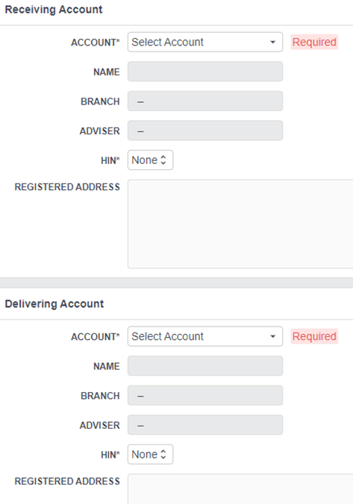
- Receiving Account – Complete details of receiving account at FinClear. Search by account number/name and the other details will be pre-filled for you.
- Delivering Account – Complete details of delivering account at FinClear. Search by account number/name and the other details will be pre-filled for you.
- Securities – list securities to be transferred. For high volumes there is a CSV Import option.
- Documents – Confirm signatories & download form. Transfer can now be saved as a draft pending receipt of paperwork. Once received, upload Signed Transfer Form + Licence or Passport of both clients*.
To use this transfer type, both HINs must be held under your organisation at FinClear. To transfer a HIN or stock held at FinClear under another organisation, please use the "HIN In" or "Broker to Broker" transfer types.