1. Receiving Account - Complete details of receiving account at FinClear. Search by account
number/name and the other details will be pre-filled for you. Note account must not already
have a HIN.
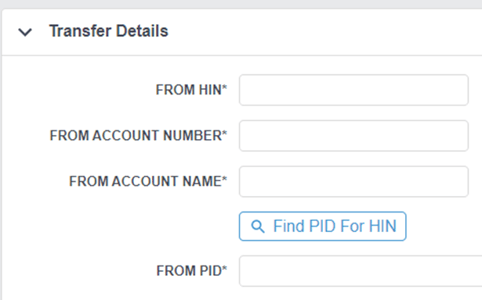
2. Transfer Details - Complete details of delivering account (HIN, account number at other
broker, account name at other broker) as well as the PID of the delivering broker (you can
search the broker by name or click “Find PID for HIN”). Account must be in the same name;
HINs cannot be transferred between entities. Note: If unsure of account number at other
broker, please enter 00000.
3. From Registered Address– Complete the CHESS Registration name & address as it is at the other broker.
4. Documents – Confirm signatories & download form. Transfer can now be saved as a draft
pending receipt of paperwork. Once received, upload Signed Transfer Form + Licence or
Passport. *
5. Request Approval – When ready to process select Actions > Request Approval. You can also add a note to our transfers team if you wish. Transfers@finclear.com.au
*Most brokers require wet signatures + ID with each transfer request. There may be some
exceptions to this, for the latest information please contact our transfers team.