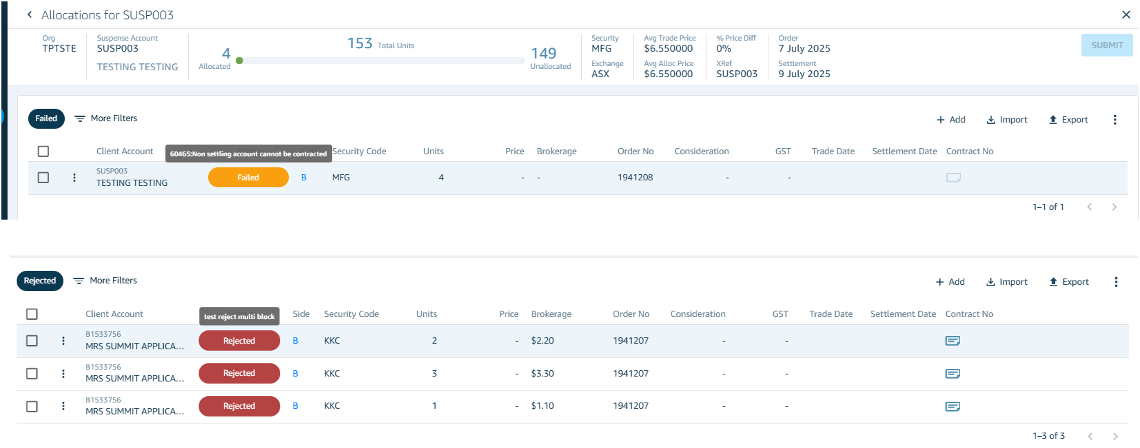
System Processing Failures If an allocation fails system processing, the status will be set to "Failed". Hover over the status to view the detailed failure reason.
Approver Rejections If an allocation is rejected by an approver, the status will be set to "Rejected" and the approver will have been required to enter a rejection reason. Hover over the status to view the rejection reason.
Next Steps Once you have reviewed the reason, you have two options:
- Edit & Resubmit — Correct the allocation and reprocess
- Cancel — Permanently abandon the allocation