Navigate to TC Wealth > Reporting > Reports > "Ad-hoc Report" tab > Account Details
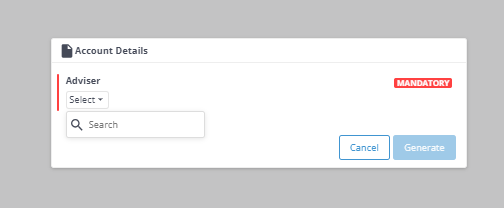
Click on the arrow icon next to "Account Details" and a pop-up screen display with the Adviser details (screenshot below)> type in the Adviser Code in the dropdown menu > click "Generate"