
You can schedule reports to be emailed directly to your clients at various frequencies.
- To access please navigate to TC Wealth > Reporting > Reports > "Client Statements" tab > "Client Reports" menu.
- Click on the clock icon next to the report you want

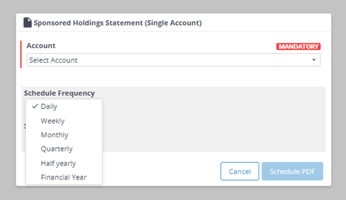
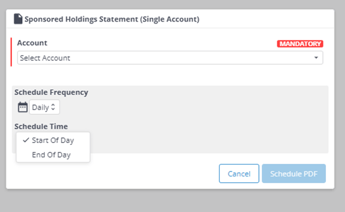
IMPORTANT - for one client only, you must use the "Single Account" option, the other options are at adviser/branch level. - Select account (or if not using the single account option, select branch/adviser), frequency & time of day then click "Schedule PDF"
To check which reports you already have scheduled, or to delete a scheduled report click here.