
To place an order on TC Mobile, navigate to the Menu and "Security Search", and then click the + symbol or Buy/Sell button.
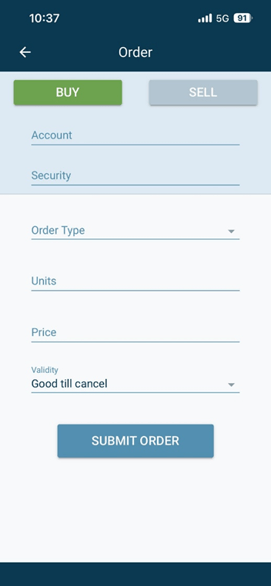
- Select the Account you want to trade on
- Select the Security
- Enter the Order type (Limit or Market)
- Enter the Units, Price & Validity
- Once entered, select Submit Order
View the order under the "Open" section in the Orders screen.