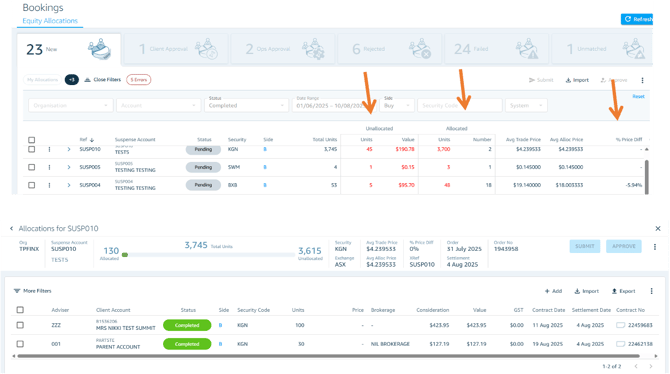
Drilling down into individual allocations
To view the individual allocations within a bulk order, simply double-click on the relevant suspense order. This will expand the record and display a breakdown of each allocation associated with that bulk order.
Viewing Suspense Orders
Suspense orders are displayed in real-time, pulling data directly from the back-office system, so no manual refresh is needed.
Understanding the information displayed
Each Suspense Order shows you the following details at a glance:
- Allocation status (allocated vs unallocated units)
- Number of allocations
- Average Trade Price
- Average Allocation Price
- Percentage price difference between trade and allocation prices