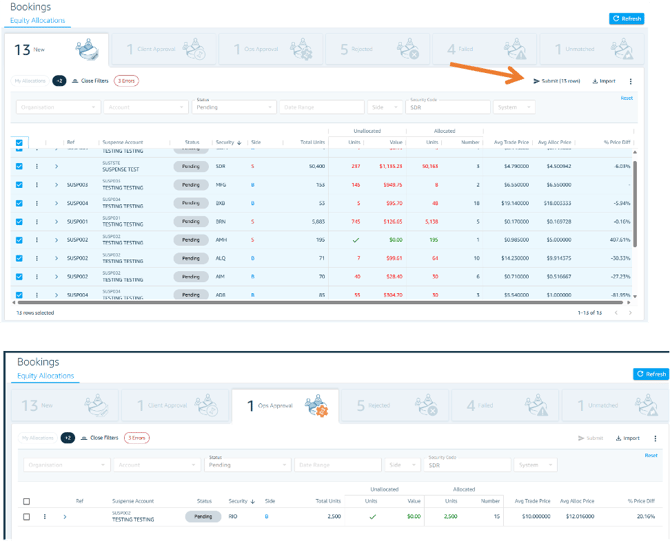
In FC Ops navigate to the lefthand menu and select Bookings > Equity Allocations.
Bulk Submission
- Click the "New" tab to see all bulk/suspense orders with ready-to-submit allocations
- Use the checkboxes on the lefthand side to select multiple orders with allocations to be submitted
- Click Submit to proceed with the bulk submission
Approval
If a second approver is required, the submission will automatically transition to "Approval" status. The designated approver can then log in and approve or reject the allocation request.