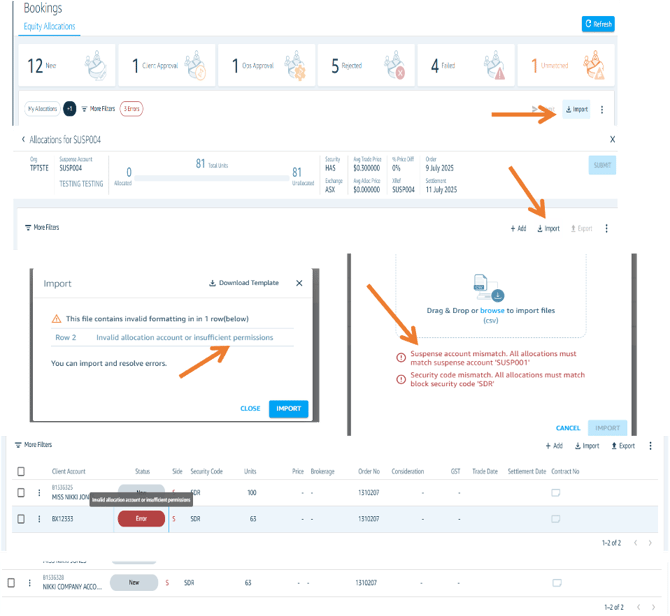
Importing Allocations The import function supports both bulk and targeted allocation processing:
- Bulk processing of allocations for different bulk orders simultaneously
- Multiple allocations for a single specific bulk order
Hard Validation Rules If your import file fails a hard validation rule, the entire file will be rejected. Common hard validation failures include:
- Missing mandatory fields
- No block order found
If you receive a hard validation fail, you must correct the file and re-import to proceed.
Soft Validation Rules If soft validation issues are detected, you will be prompted to choose how to proceed. You have two options:
- Cancel & Fix — Cancel the import, correct the file in Excel, then re-import
- Import & Fix — Proceed with the import and correct any issues directly in the platform