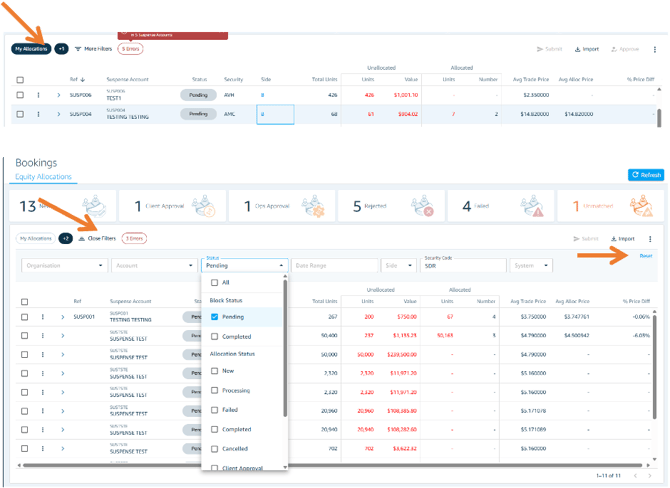
Viewing My Allocations
Toggle the "My Allocations" filter to show only allocations where you, as the current user, are involved.
Applying Additional Filters
Click the "More Filters" button to access additional filter options. You can apply multiple filter criteria simultaneously. The number of active filters will be displayed next to "Show" as a visual counter so you can easily track what's applied.
Resetting Filters
To clear all additional filters at once and return to the default view, click the single reset button.