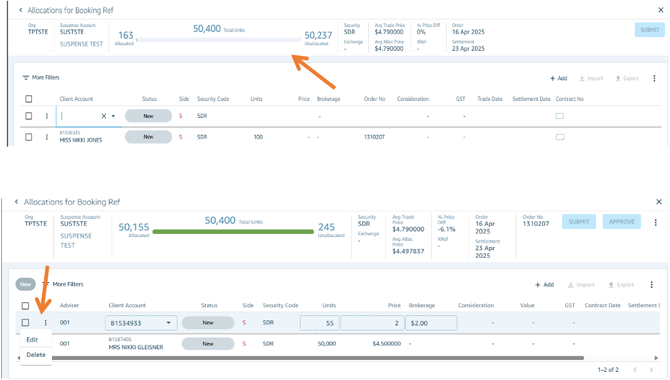
Adding an Allocation Allocations can be added directly to a bulk order through the user interface/platform. Once saved, the following fields will automatically update:
- Allocated/Unallocated units
- Average Allocation Price
- % Price Difference
Editing or Deleting an Allocation Existing allocations may be edited or deleted depending on their current status. Locate the relevant allocation and select the edit or delete option accordingly.